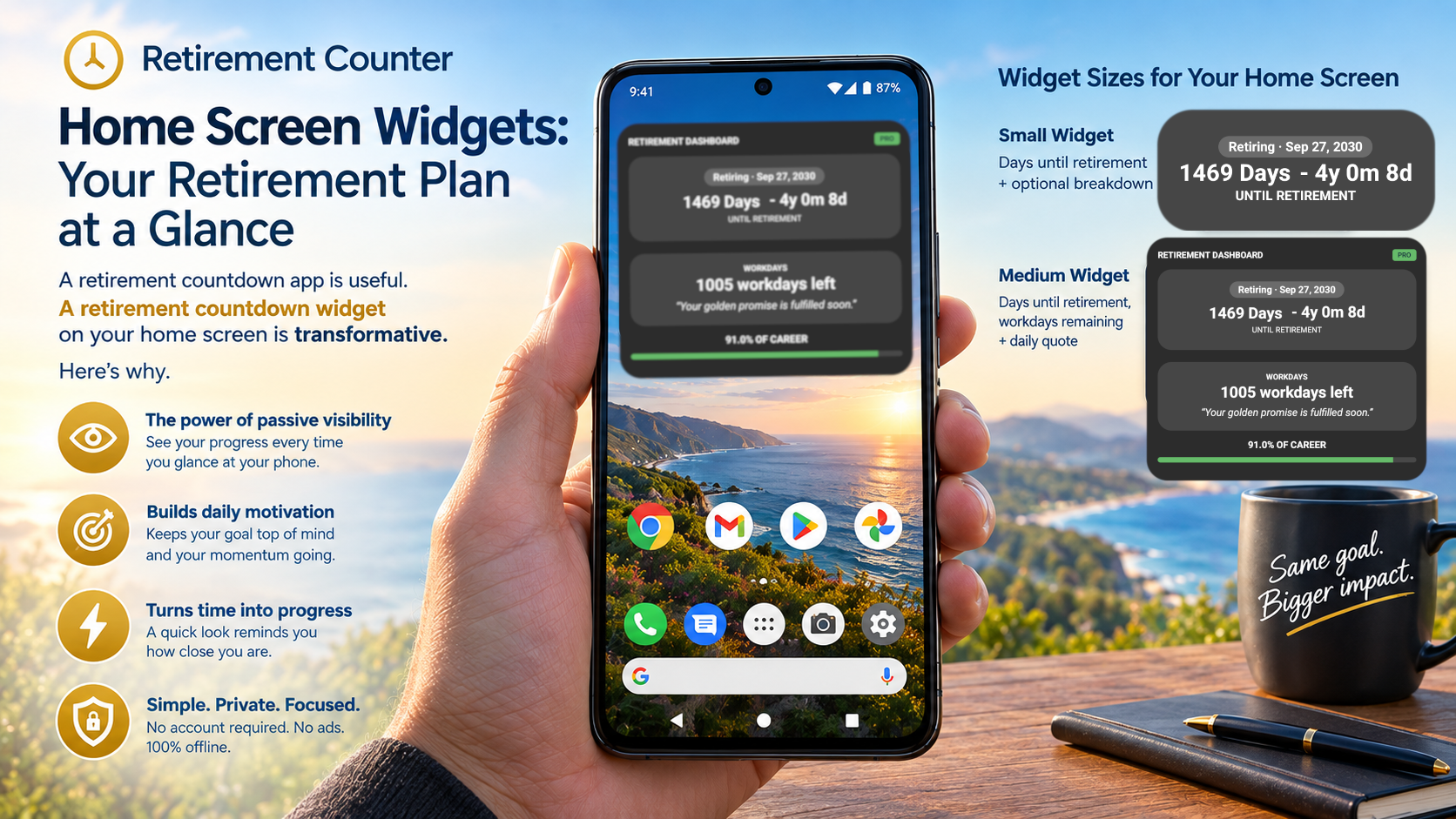
There’s a big difference between an app you open occasionally and a widget you see every time you glance at your phone.
A retirement countdown app is useful. A retirement countdown widget on your home screen is transformative. Here’s why.
The power of passive visibility
Most apps require you to actively open them. That means you only see your retirement countdown when you remember to check it — which, let’s be honest, isn’t that often.
A home screen widget changes the equation. It’s there every time you unlock your phone, check the time, or swipe to your next app. You don’t have to remember to look at it. It’s just there.
This passive visibility is what makes widgets so effective. Your retirement date becomes part of your daily environment — not something you have to seek out.
What the Retirement Counter widget shows
The Retirement Counter app on Google Play offers home screen widgets that show your countdown at a glance:
- Days remaining — the big number you see immediately
- Time breakdown — years, months, and days at a glance
- Automatic updates — the widget refreshes itself, so it’s always current
No opening the app. No checking. Just look at your home screen and you know exactly where you stand.
Why “at a glance” matters
There’s real value in being able to see your countdown without any effort:
1. It keeps your goal visible
Every glance at your phone is a reminder of your retirement timeline. That constant, low-level awareness keeps your goal front-of-mind without being intrusive.
2. It reduces friction
The easier something is to see, the more likely you are to engage with it. A widget removes the friction of opening an app, checking a number, and closing it again.
3. It makes the countdown feel real
There’s something powerful about seeing “1,247 days” on your home screen every morning. It makes the abstract concept of retirement feel concrete and immediate.
4. It’s private
Like the app itself, the widget displays your countdown locally. No data leaves your device. Your retirement plans stay yours.
Widget sizes for every preference
Retirement Counter offers widgets in different sizes so you can choose what fits your home screen:
- Small widget — just the essential number of days remaining
- Medium widget — days plus a breakdown of years, months, and days
- Large widget — the full countdown view with more detail
Whether you want a minimal reminder or a detailed view, there’s a widget size that works for you.
Make your retirement visible
If you’re serious about planning for retirement, put it where you can see it. Download Retirement Counter on Google Play, set your retirement date, and add the widget to your home screen.
Your retirement plan deserves more than a date on a spreadsheet. It deserves to be visible every day.